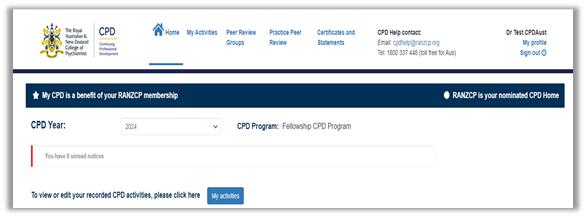
 RANZCP homepage
Apply for Practice Peer Review roles in MyCPD
You can apply to be part of Practice Peer Review as either a participant or facilitator on MyCPD.
How to apply
- Sign in to MyCPD
- Click on Practice Peer Review
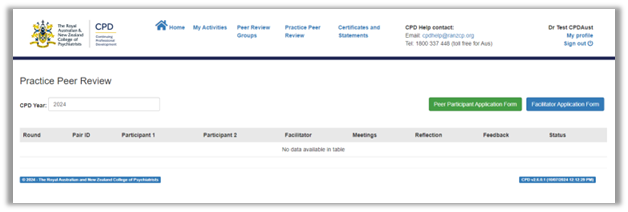
- Select Peer Participant Application Form or Facilitator Application Form (refer to selection criteria). You can apply to both roles simultaneously.
- Complete the form and click ‘Submit’ when you are ready to submit the application or click ‘Save’ if you would prefer to go back to the form and make changes before submitting.

- Click ‘Yes’ to submit your application or ‘No’ if you wish to go back and make changes. Please note that once submitted you won’t be able to edit the form
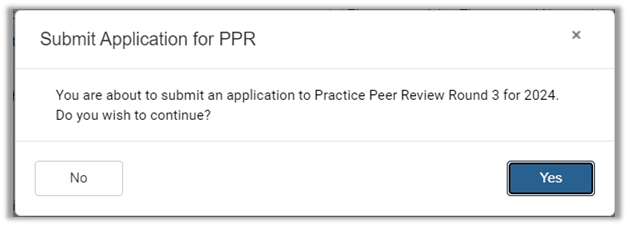 .
. - A pop-up message will appear to confirm that your application was submitted. The status of your application will show in your applications history section. After submission CPD staff will process your form and advise of the next steps.